
Available Free Tools/Information
Let’s take advantage of the technology, gain the information and implement to improve our lives.
How to login to this page and edit information
Step 1: type www.shadipur.org in the address field
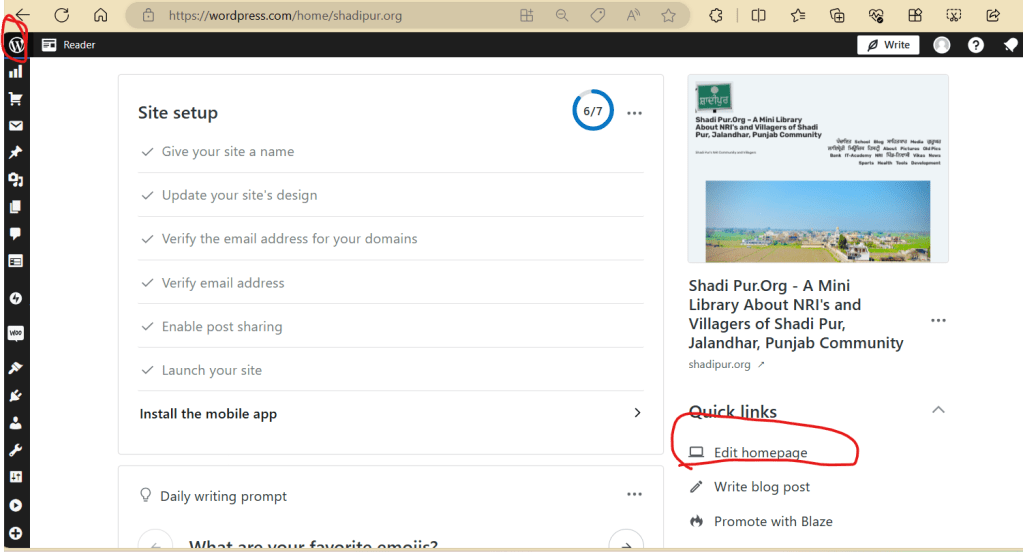
Step 2: Click on the "Log In" button at the bottom of the page. After successfully logging in, you should be able to see the w, and reader icons on the left-hand top corner of your screen.
Step 3: Click on "W" sign to enter the site (top left-hand corner).
Step 4: Now you should be able to see the Shadi Pur icon, picture (page preview) on the right side of the screen.
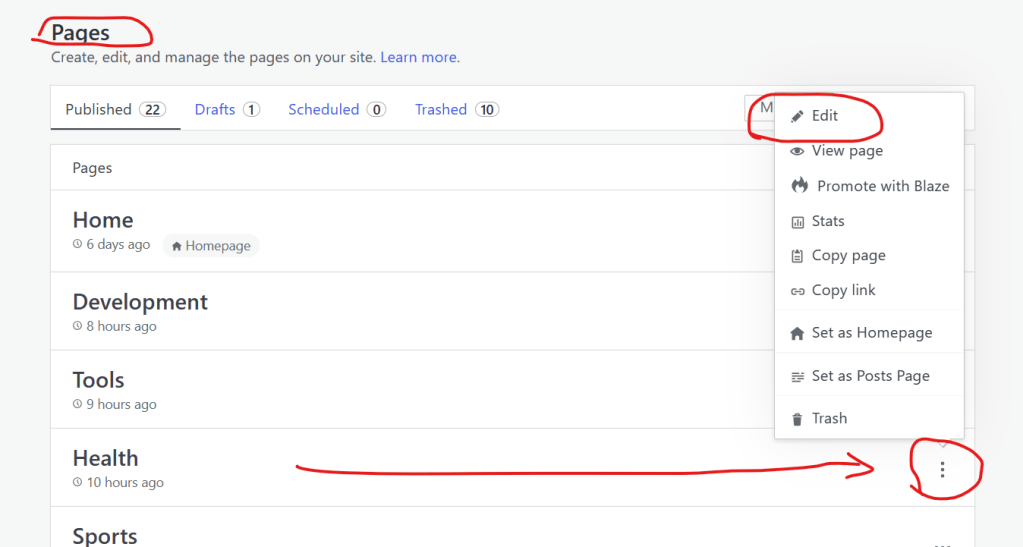
Step 5: Under the "Quick Links" (under the village picture), click "edit homepage" and then from right-hand side select the page
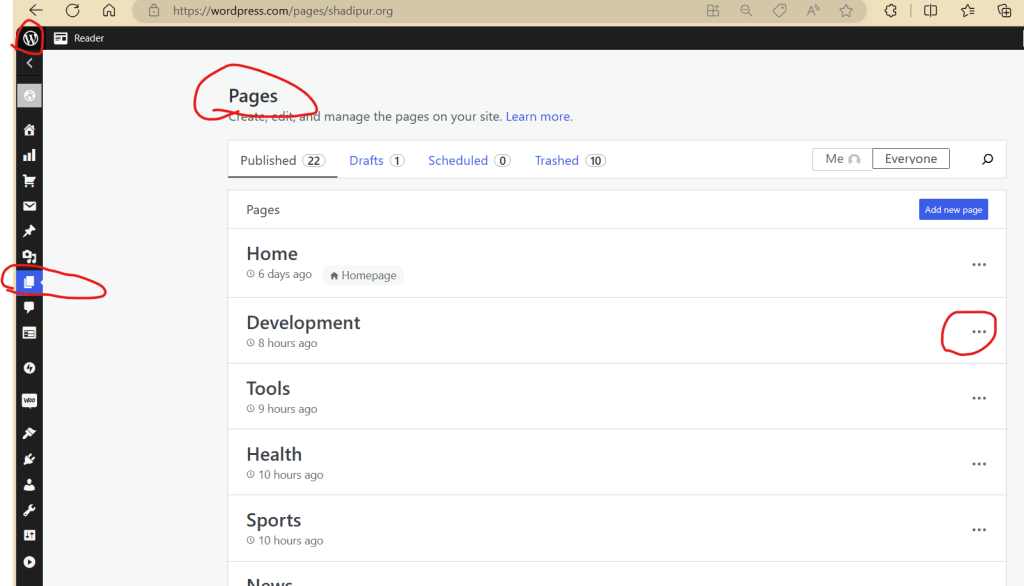
Step 6: Then on left hand side click on "Shadipur" icon picture and you ll see pages drop down menu.
Step 7: Click on the page (example: Pictures). And you ll see the new page opened.
Step 8: Under the picture (click on left to right) words and start typing the names and information.
Step 9: After finished typing, click on the "Update" icon the right hand side top of the screen to save your changes.
Step 10: Repeat/repeat/try again or text me at 916-917-2393 (US).. Ranjit (Rana)Kandola
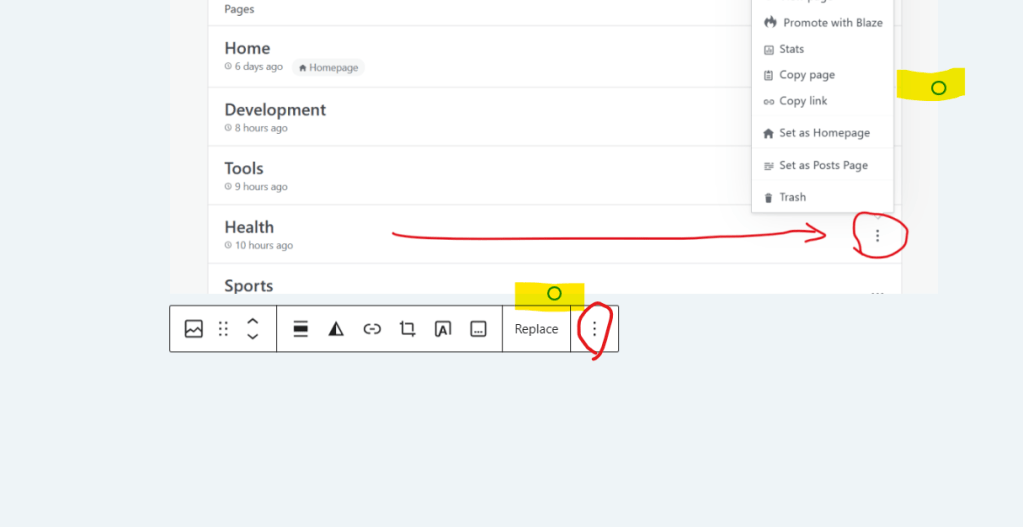
To add a picture
click on pic/ see highlighted dots / click on 3 dots next to Replace / click duplicate


Sending a Post by Voice
- Call the number : +1 (713) 574-9075 / Enter your secret code
- If there is 10 seconds of silence, the recording will end
- The maximum length of a recording is 1 hour. Normal calling rates will apply for the phone call. Once you are done, a new post titled “Audio Post” will be published to your site. It will be assigned the default category and tagged with “Post by Voice”. The audio file itself will be stored in your Media Gallery and named audio-post-yyyy-mm-dd-unique-identifier.mp3 where the the italicized part of the file name will be replaced with the date of the post and a unique numeric identifier.
- Regenerate Secret Key: Visit your WP Admin Dashboard by adding /wp-admin/ to the end of your site’s url (e.g.: example.wordpress.com/wp-admin) // Click on Dashboard → My Blogs. // Hover over the secret key you want to regenerate, and click the Regenerate link that appears.
- File Format: We can only upload .mp3, .ogg and .wav audio files.
- Cell phone file .opus must be first converted to .mp3, .wav or .ogg.

 Shadi Pur.Org - A Mini Library About NRI's and Villagers of Shadi Pur, Jalandhar, Punjab Community